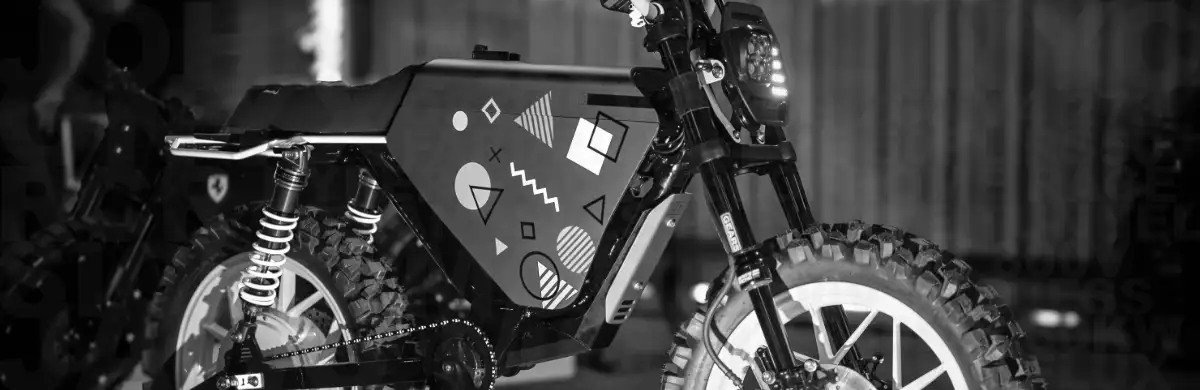
ONYX RCR 80V Firmware 2.0 updates Thrill Tune performance settings, adds motor and battery temperature readouts, and improves the Apple CarPlay and Android Auto interface.
The update is optional and requires separate installations for the motor controller and dashboard display.
This article covers the features, published speed caps, and installation considerations. It does not provide firmware files or installation procedures.
For downloads, requirements, and the complete procedure, use the official ONYX Motors Firmware 2.0 documentation.
What Changes in Firmware 2.0?
The main changes include:
- Updated Thrill Tune speed caps in Eco, Normal, and Sport modes.
- Removal of the Thrill Tune Hyper speed cap.
- Revised Thrill Tune Sport throttle curves.
- Motor and battery temperature readouts on the main dashboard.
- Updated motor temperature warning and protection behavior.
- Easier switching between CarPlay or Android Auto and the main dashboard.
- A mode indicator, speedometer, and battery percentage on the CarPlay and Android Auto screens.
Cruise Tune was already available beginning with Firmware 1.75. Thrill Tune also shipped on select bikes with that version.
For owners already running 1.75, the reasons to consider 2.0 are the revised performance settings, temperature information, and dashboard changes. Owners updating from earlier firmware may also gain Cruise Tune.
Cruise Tune and Thrill Tune Riding Modes
Cruise Tune emphasizes lower speeds and gentler throttle response. Thrill Tune provides higher-performance settings.
Both profiles contain Eco, Normal, Sport, and Hyper modes, but their speed settings differ.
| Mode | Cruise Tune Published Speed Cap | Thrill Tune Published Speed Cap |
|---|---|---|
| Eco | 15 mph | 45 mph |
| Normal | 20 mph | 55 mph |
| Sport | 35 mph | 65-70 mph |
| Hyper | 40 mph | No speed cap |
These are the settings listed in ONYX’s written documentation, not guaranteed riding speeds. Actual performance depends on battery state, rider weight, terrain, wind, and the motorbike’s configuration.
The demonstration figures referenced in the earlier draft included Cruise Sport at approximately 30-35 mph, Thrill Sport at approximately 65 mph, and Hyper at approximately 75 mph. Those reported speeds are distinct from the published caps above.
Cruise Tune may suit commuting, learning the throttle response, or riding at a restrained pace. ONYX recommends Thrill Tune Normal for a balance of power, range, and motor performance, and describes Hyper as intended for brief periods of higher demand rather than extended maximum-output riding.
Select settings appropriate for your experience, surroundings, and applicable laws.
Motor and Battery Temperature Monitoring
Firmware 2.0 adds motor and battery temperature readouts to the main dashboard. These help riders recognize increasing heat and reduce sustained load.
ONYX documents the following motor protection thresholds:
| Motor Temperature | Documented Behavior |
|---|---|
| 140 C | Power reduction starts |
| 160 C | Protective power cutoff |
These thresholds are protection settings, not temperatures to target before adjusting your riding.
Firmware 2.0 does not eliminate thermal warnings or power reduction. Sustained demanding operation can still trigger protection.
The earlier draft also referenced demonstration guidance at motor temperatures of 100-120 C and battery temperatures of 50 C and 60 C. Those figures should not be treated as confirmed firmware thresholds. The written documentation cited here establishes the motor thresholds above but does not establish corresponding battery thresholds.
Battery temperature varies with ambient conditions, current demand, and sustained load. Follow ONYX’s operating guidance when interpreting the readout.
Dashboard Improvements
The CarPlay and Android Auto screens now include:
- An accessible exit control for returning to the main dashboard.
- A riding mode indicator.
- A speedometer.
- Battery percentage.
Motor and battery temperature readouts appear on the main dashboard.
These are improvements to existing CarPlay and Android Auto functionality. Consult ONYX’s documentation for compatibility details.
Does Firmware 2.0 Improve Range?
Cruise Tune’s lower speeds and gentler throttle response may help riders manage energy consumption, but the update does not guarantee a particular range increase. Speed, acceleration, rider and cargo weight, terrain, weather, battery condition, and tire pressure still determine the result.
Installation Requirements and Risks
The controller and display use different installation methods. Completing one update does not complete the other.
ONYX currently specifies an Android phone or tablet and a USB flash drive. Its documentation states that an iPhone cannot be used for the update.
An interrupted or unsuccessful installation can disable the controller or display. Recovery assistance may be required, and ONYX warns that an affected component may need to be sent in for service. Recovery mode is not guaranteed to resolve every failure.
This can mean component removal, shipping, service, reinstallation, and time without your motorbike. Confirm any applicable costs and coverage with ONYX rather than assuming a particular warranty or repair outcome.
The dashboard’s progress indicator may appear stationary while installation continues.
Do not interrupt an active installation based only on a progress indicator that appears to have stopped moving.
Before starting:
- Read the complete official instructions and watch the accompanying videos.
- Confirm that you have the specified equipment.
- Understand how ONYX identifies successful completion.
- Allow time to finish without avoidable interruptions.
- Be prepared for possible downtime and component service.
- Resolve questions with ONYX before beginning.
ONYX advises against starting if you need the motorbike within the next few weeks. That warning is not a guaranteed service turnaround time.
Should You Update?
Firmware 2.0 may be worthwhile if you want the revised Thrill Tune settings, temperature readouts, or dashboard improvements. If you already have Firmware 1.75, Cruise Tune alone may not be a new benefit.
If your motorbike operates properly and its current features meet your needs, keeping the existing firmware is a reasonable choice.
Use the official ONYX Motors installation instructions and support resources to prepare. Choose the update for the features you want, with an understanding of the installation requirements and possible downtime.
This article is not affiliated with or endorsed by ONYX Motors and does not guarantee an installation outcome.